Understanding Unix Epoch Time for Developers
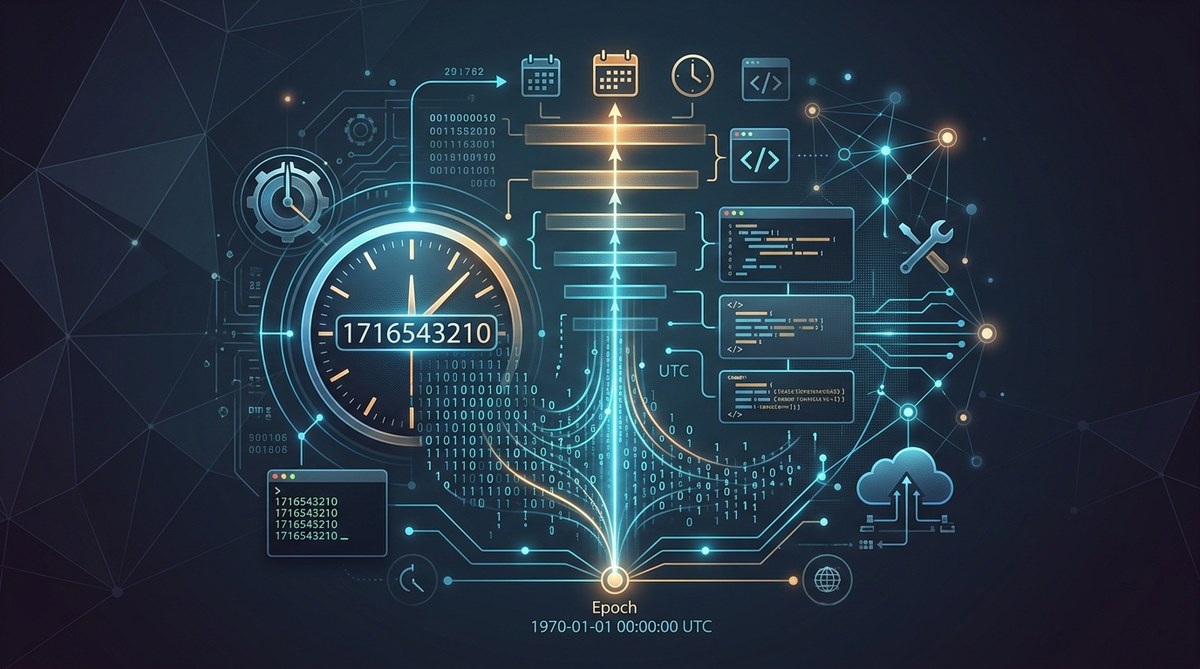
If you work with logs, APIs, or any data that spans across servers and time zones, you have likely bumped into Unix epoch time. Those simple numbers power the timing of software systems all around the world. Yet the concept remains a little mysterious to those who first encounter it. This guide from CFREAKS digs into what epoch time is, how it works under the hood, why it matters for developers and administrators, and how to use it reliably across languages and platforms.
Introduction to Unix Epoch Time
Epoch time is a way to represent instants in time as a single numeric value. It is the count of seconds that have elapsed since a fixed starting point.
What is Unix Epoch?
- The Unix epoch is defined as January 1, 1970 at 00:00:00 UTC.
- The epoch is a simple, continuous counter that increases as time passes.
- In many contexts you will see the value expressed as a signed integer, representing whole seconds since the epoch.
In practice, epoch time is the backbone for timestamps in file systems, databases, message queues, and APIs. It provides a stable, time zone independent reference that is easy to compare, store, and sort.
The Origin and History
- Unix time emerged with early Unix systems in the 1960s and 1970s as a practical solution to store and compare moments in time.
- The design emphasizes simplicity and determinism: one number, one axis of time to rule them all.
- Over the years, there have been refinements and debates about precision, leap seconds, and how to handle future time representations.
How Unix Epoch Time Works
The Counting Mechanism
- Epoch time counts whole seconds since the epoch. Each second increments the counter by one.
- Some systems also track sub-second precision using milliseconds, microseconds, or nanoseconds, but the core epoch value is still the second count.
Representing Time Zones and UTC
- Epoch time is inherently UTC based. It does not store time zone information within the timestamp itself.
- When you convert an epoch value to a human readable date, you choose a time zone to apply to that instant.
- This UTC foundation is what makes epoch time valuable for coordinating across servers in different geographical regions.
Leap Seconds and the 2038 Problem
- Leap seconds are moments when extra seconds are added to coordinate atomic time with solar time. They create irregularities for some time representations.
- The Year 2038 problem arises for systems using 32-bit signed integers for seconds since the epoch. On January 19 2038 at 03:14:07 UTC, the value overflows.
- Modern systems shift to 64-bit representations or use different storage strategies to avert overflow.
- In practice, most API and database implementations now rely on 64-bit clocks or use higher precision types, but you still need to be mindful of legacy systems.
Conversion Between Epoch and Human Readable Dates
Basic Conversions
- To go from epoch to a date you read:
- In Python: datetime.utcfromtimestamp(epoch_seconds)
- In JavaScript: new Date(epoch_seconds * 1000)
- In Java: Instant.ofEpochSecond(epoch_seconds).atZone(ZoneOffset.UTC)
- To go from a date to epoch:
- In Python: int(datetime.datetime(YYYY, MM, DD, HH, MM, SS, tzinfo=datetime.timezone.utc).timestamp())
- In JavaScript: Math.floor(Date.UTC(YYYY, MM – 1, DD, HH, MM, SS) / 1000)
- In Java: LocalDateTime and ZoneOffset.UTC, then toEpochSecond
Precision Matters
- Seconds are standard for most business workflows.
- If you need higher precision, many systems store milliseconds or microseconds. Always document the unit you use and ensure consistent interpretation across services.
- When exchanging data, include the unit in the field name or schema to avoid confusion (for example, ts_seconds or ts_millis).
Practical Tips for Conversions
- Prefer UTC as the basis for storage and arithmetic.
- Always record the unit alongside the timestamp when exposing to clients or APIs.
- When reading external data, verify the unit and adjust your parsing accordingly.
Common Uses of Unix Epoch Time
Applications in Software Development
- Timestamps on log lines enable efficient sorting, filtering, and correlation across distributed systems.
- Epoch times simplify database indexing and time window queries.
- They enable straightforward time arithmetic, such as computing durations, timeouts, or retry intervals.
Role in Data Logging and Analytics
- Epoch time is ideal for aggregations like hourly or daily totals because it is constant and unambiguous across time zones.
- It makes time-based joins across datasets easier, especially when data originates from multiple services and regions.
Influence on Internet and Networking
- APIs frequently accept and return epoch timestamps for interoperability.
- Time synchronization protocols and distributed systems rely on precise timing to maintain coherence and reliability.
Edge Cases and Limitations
32-Bit versus 64-Bit Representations
- 32-bit signed integers can hold epoch seconds up to roughly 2038. After that, the value wraps around.
- 64-bit representations extend far into the future, far beyond practical concerns for most applications.
Leap Seconds and Timekeeping
- Some environments handle leap seconds by smoothing or by not including the leap second in the epoch counting.
- If your system logs events in UTC, you need a clear policy for leaps to maintain ordering and avoid drift.
Year 2038 and Long-Term Planning
- If you are building long lived systems and you rely on timestamps, ensure your data types and libraries are 64-bit and prepared for future time representations.
- Consider design decisions that decouple business logic from the exact numeric representation, using libraries that manage this safely.
Time Zone Shifts and Local Time Calculations
- Calculating local times from epoch values requires knowing the correct time zone or offset.
- Daylight saving time changes can affect display times but not the underlying instant in UTC.
Time Zones and UTC
Why Epoch Time Is Time Zone Independent
- Epoch time represents a single instant in universal time, not a local wall clock.
- This simplifies synchronization across servers in multiple regions.
Best Practices for Time Zone Handling
- Store times in UTC in databases and logs.
- Convert to user local time only at presentation time.
- Avoid storing local time strings for long term records; prefer numeric epoch values and a known time zone when displaying.
Working with Epoch in Different Languages
Python
- Use the datetime module to convert between epoch seconds and aware or naive datetimes.
- Example:
- To convert: epoch = 1620000000; dt = datetime.datetime.utcfromtimestamp(epoch)
- To convert back: epoch = int(datetime.datetime(2021, 5, 3, 12, 0, 0, tzinfo=datetime.timezone.utc).timestamp())
JavaScript / Node.js
- In the browser or Node, timestamps are commonly in milliseconds.
- Example:
- To convert: const dt = new Date(epochSeconds * 1000)
- To convert back: const epoch = Math.floor(Date.now() / 1000)
Java
- Java 8 and later uses the java.time package.
- Example:
- To convert: Instant.ofEpochSecond(epoch).atZone(ZoneOffset.UTC)
- To convert back: long epoch = Instant.now().getEpochSecond()
Go
- Go uses time.Unix to work with epoch seconds and nanoseconds.
- Example:
- To convert: t := time.Unix(epoch, 0).UTC()
- To convert back: epoch := t.Unix()
Rust
- Rust uses chrono or std time for conversions.
- Example:
- To convert: let dt = NaiveDateTime::from_timestamp(epoch, 0)
- To convert back: let epoch = dt.timestamp()
Practical Tips and Tools
Converting Unix Epoch Time Easily
- Use a trusted converter when testing, but prefer programmatic conversion in code to avoid manual errors.
- Always specify units when converting, for example, ts in seconds vs ms.
Useful Libraries and Scripts
- Python: datetime, time, and dateutil libraries cover most conversion needs.
- JavaScript: Intl.DateTimeFormat helps with localizing formatted times after conversion.
- Go, Rust, and Java all have robust time libraries for epoch handling.
API Considerations and Storage Formats
- If designing an API, document the time fields with their units and time zone rules.
- For storage, store epochs as integers (seconds or milliseconds) and keep a separate field for the time zone or locale if necessary.
- Consider using ISO 8601 strings for human readability in logs or debug endpoints, but convert to epoch for precise comparisons.
Best Practices for Unix Epoch Time Usage
- Always store in UTC and use a consistent unit across the system.
- Clearly document units in APIs and data contracts.
- Prefer 64-bit time representations to avoid Year 2038 issues.
- Be mindful of leap seconds and how your system handles them in edge cases.
- Use time libraries rather than hand rolled arithmetic to avoid off by one errors.
The Future of Time Representation
- The industry continues to converge on 64-bit time representations with high precision.
- Some systems explore hardware time sources and more exact synchronization protocols to reduce drift.
- As distributed systems grow in complexity, robust time handling remains a critical foundation for security, logging, and reliability.
Practical Scenarios and Use Case Examples
- A microservice prints logs with a timestamp and uses epoch time to enable cross service correlation.
- A data warehouse ingests epoch seconds from multiple sources to build time based dashboards.
- A security instrument measures event times in epoch seconds to ensure tamper evident auditing across regions.
Building a Reliable Time Handling Strategy
- Define a clear time policy for all services:
- Use UTC for storage
- Convert to local time only on presentation
- Include unit information with timestamps
- Choose your time representation with future growth in mind:
- Prefer 64-bit seconds or milliseconds
- Decide on the precision you truly need and be consistent
- Use monitoring and alerting that relies on epoch based triggers:
- Always check time drift between systems
- Enforce clock synchronization with NTP or similar tools
Footer Thoughts and Next Steps
- If you are new to epoch time, start by observing the timestamps in your logs and then practice converting them to human friendly dates in your language of choice.
- For administrators, set up automated scripts that validate the units of timestamps when they ingest external data.
- For developers, consider creating small utility modules in your project to centralize epoch conversions and unit handling.
Conclusion
Unix epoch time is a deceptively simple concept with broad and powerful implications for developers and administrators. By storing time as a UTC based, unit explicit numeric value, you gain a robust, scalable foundation for logging, data analysis, API design, and cross service coordination. Understanding the counting mechanism, the need to handle edge cases like leap seconds and the Year 2038 problem, and adopting best practices for units and time zones will pay dividends in reliability and clarity. At CFREAKS, we believe that sound time handling is a cornerstone of secure, efficient, and maintainable systems. Embrace epoch time as a core building block, and your future self will thank you for it.
Related Tools and Further Reading
- Unix epoch time converters and educational resources
- Libraries for multiple programming languages that handle time accurately
- Documentation on time zones, UTC, and leap seconds from standard references
Quick Reference Checklist
- Store times in UTC using epoch seconds or milliseconds
- Always document the unit used for epoch times
- Use 64-bit representations to avoid Year 2038 issues
- Convert to local time only for display or user interaction
- Be mindful of leap seconds and how your system handles them
- Test across languages to ensure consistent interpretation of timestamps
- Prefer time libraries rather than manual arithmetic for conversions
By following these practices, you can ensure that Unix epoch time serves as a reliable backbone for your projects, no matter how large your infrastructure grows.










Post Comment